Salesforce AI
Voice cloning App
How can we break the black box model of voice cloning and make the process more intuitive and accessible?
MY ROLE

Alex
Designer

Soyun
Designer

Gahui
Researcher

Mingjin
Researcher
Team
With amazing teammates, I led the end-to-end research-through-design process, including prototyping voice clonig AI and UI/UX design for the product.


03/ Ideation
Initial brainstorming
What are design opportunities?
Through competitive analysis, I discovered design opportunities for this AI concept.
AI for a group, not just individuals
I envisioned a recommender system that can interpret and reconcile inputs from multiple users, generating suggestions that reflect the "group" perspective.
Enable dynamic preference input
The new design should allow users to set filters collaboratively, and adjust individual priorities and preferences.
Lower the inconvenience, raise the fun
By leveraging criteria-based recommender, we can ease the burden of manual compromise and negotiation, unlike the current reliance on text-based comments.
Concept
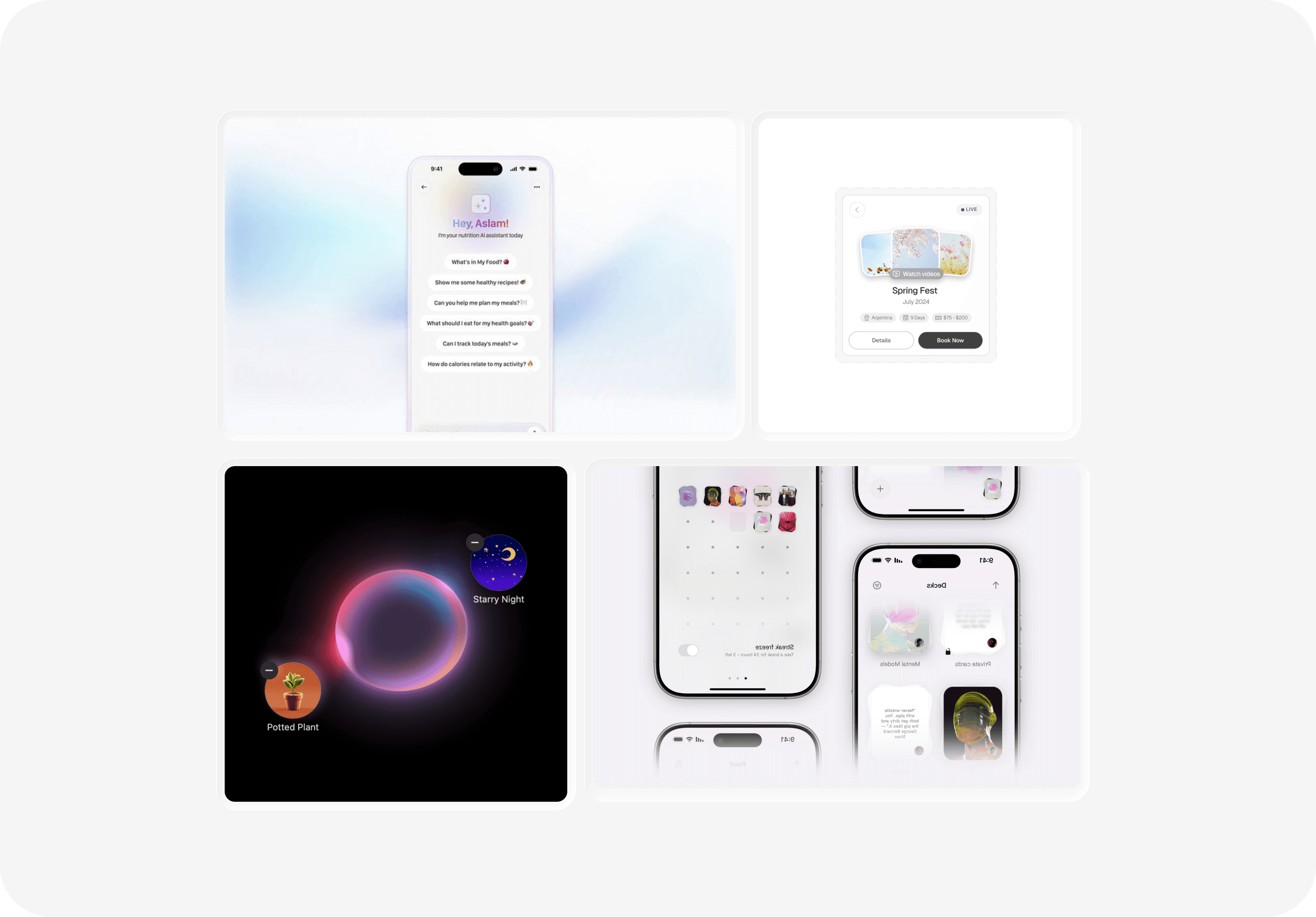
Bubble-inspired, playful trip planning!
Inspired by Apple’s Image Playground, I created a moodboard for an interaction that combines a glass-like aesthetic with flexible, dynamic behavior.
Wireframes
Quickly sketching out the main flows.
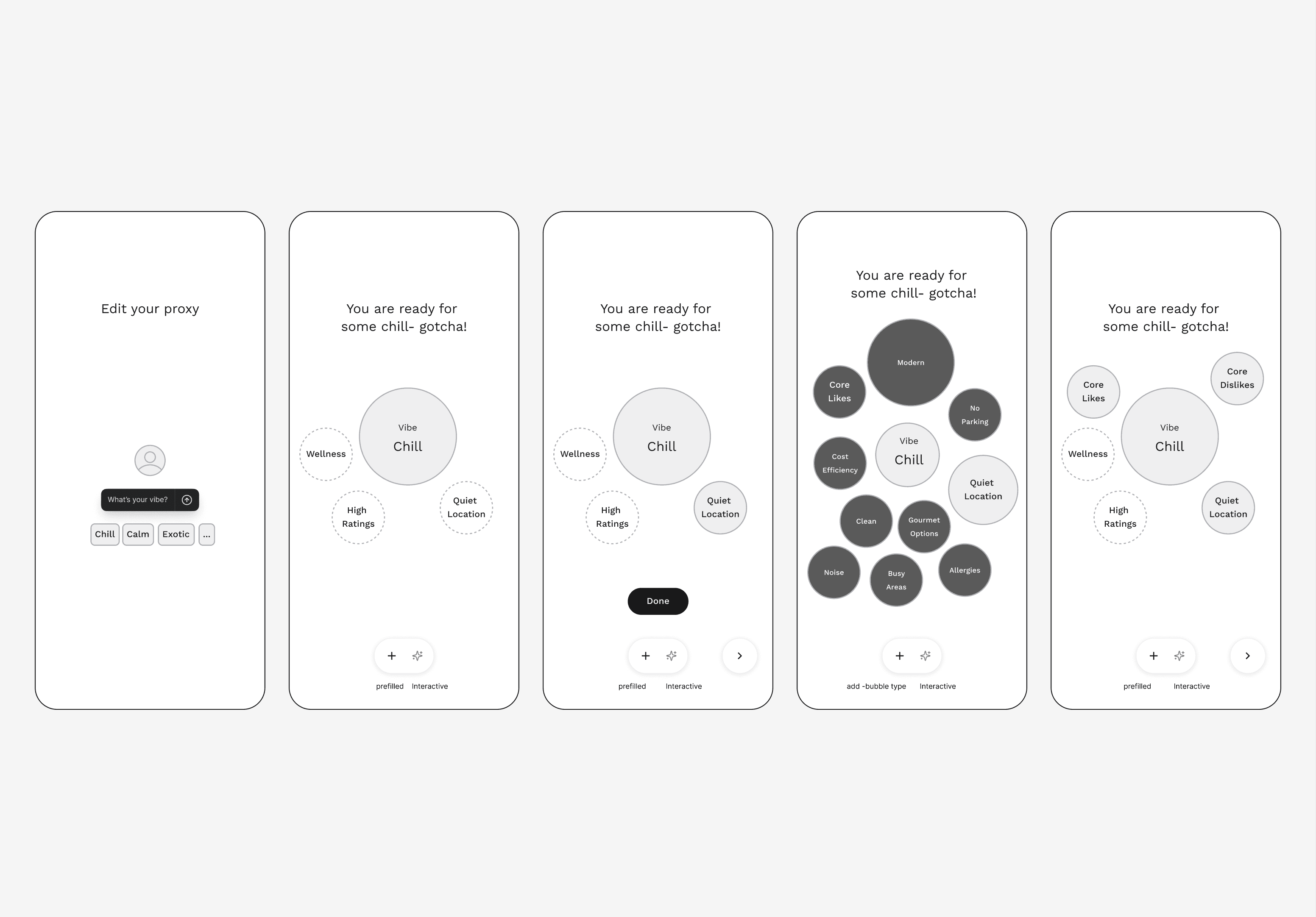
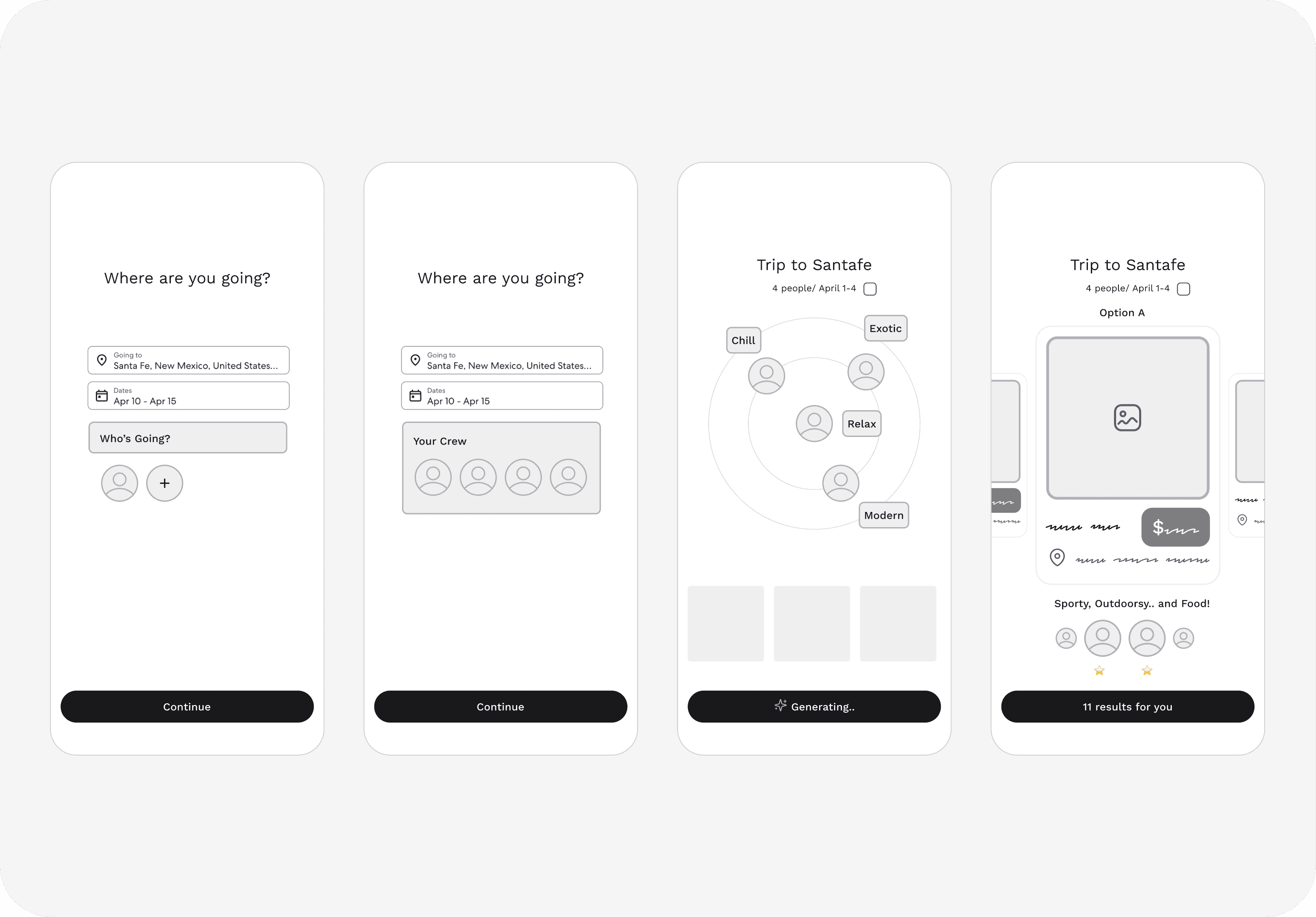
Considering components, and the overall design system, I quickly sketched the main flows of (1) editing preferences, (2) group-AI curation process, and (3) voice/image-based AI interactions.
Flow 1
1. Edit preference for my proxy 2. Adjust weight of each preferences 3. Share my proxy with friends
Flow 2
1. Add trip details 2. AI analyzes each proxy's preferences. 3. AI suggests curated destinations, by prioritizing diffent preferences.
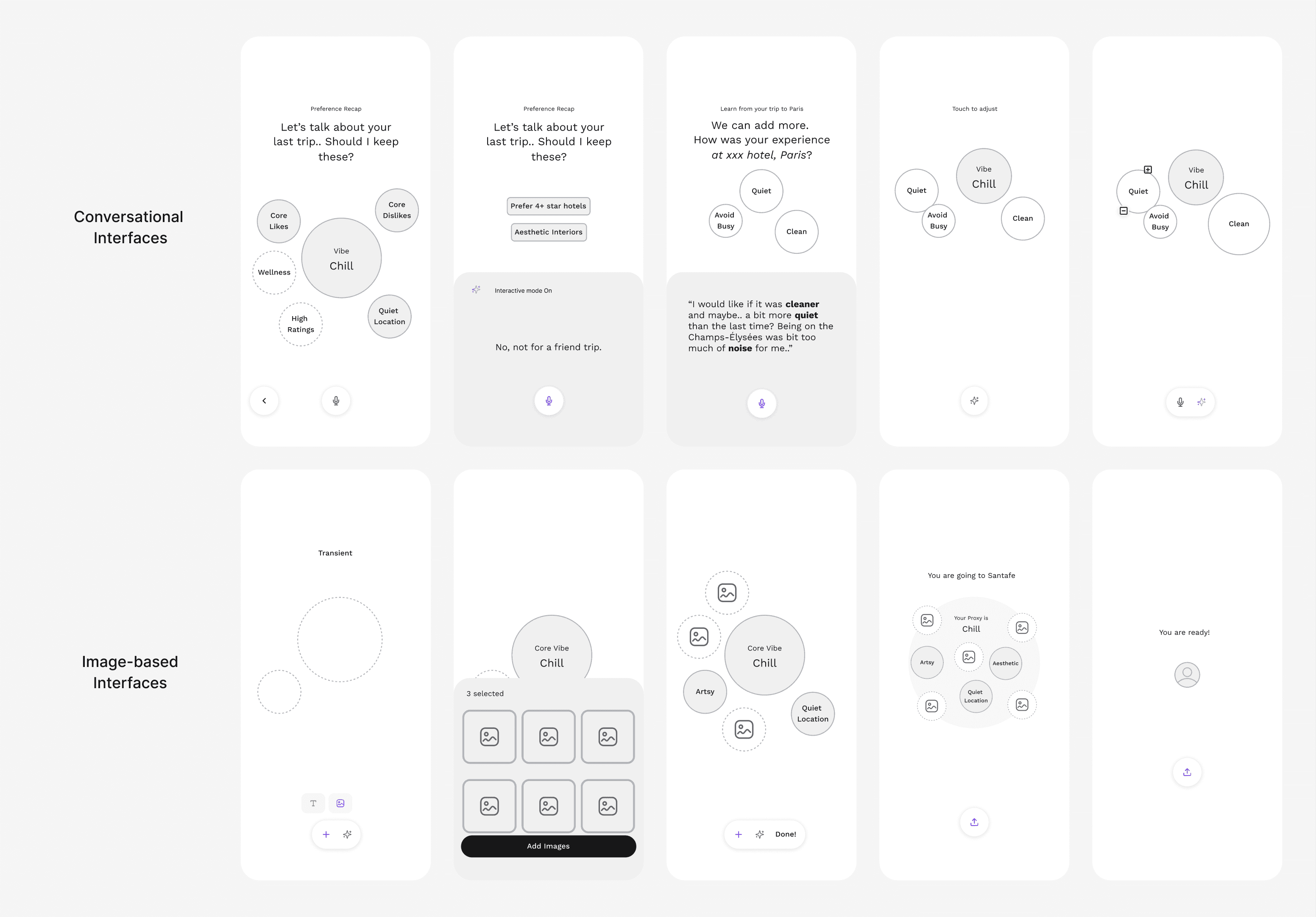
Flow 3
1. Chat with AI to adjust preference weight or receive recommended tags. 2.Upload images to get more personalized or related keywords (bubbles).
4/ Design Iterations
Detail 1
Aesthetic UI touch to increase the "AI" feel
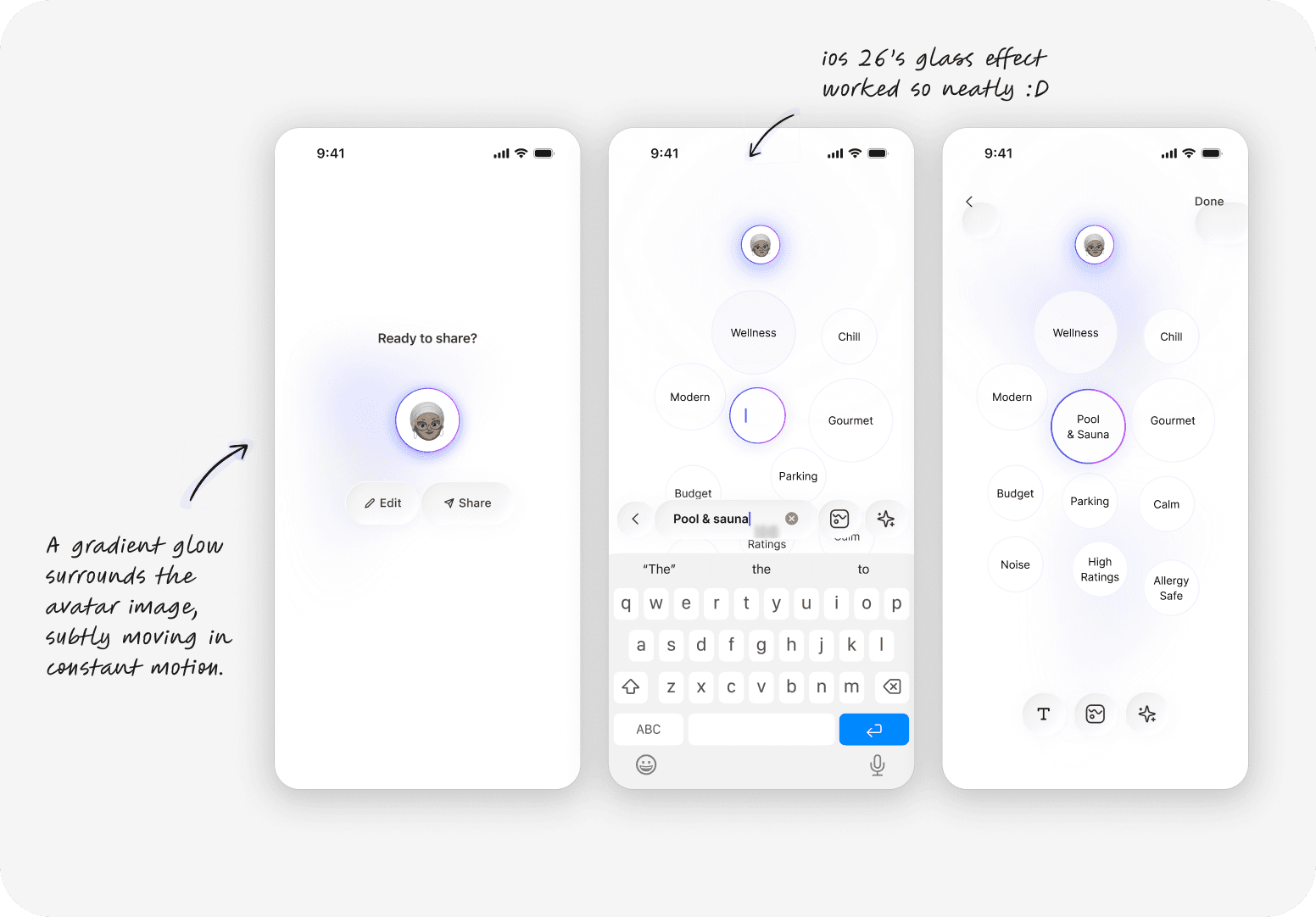
Gradient UI
1
I tried to add gradient "just right amount" to increase the feel of interactiveness.
Liquid glass aesthetic
2
Although we were building our product earlier, one of our golas was to explore the glass UI. With the ios26 release, we could integrate new UI into ours super neatly.
Detail 2
Small tweaks to increase the fun!
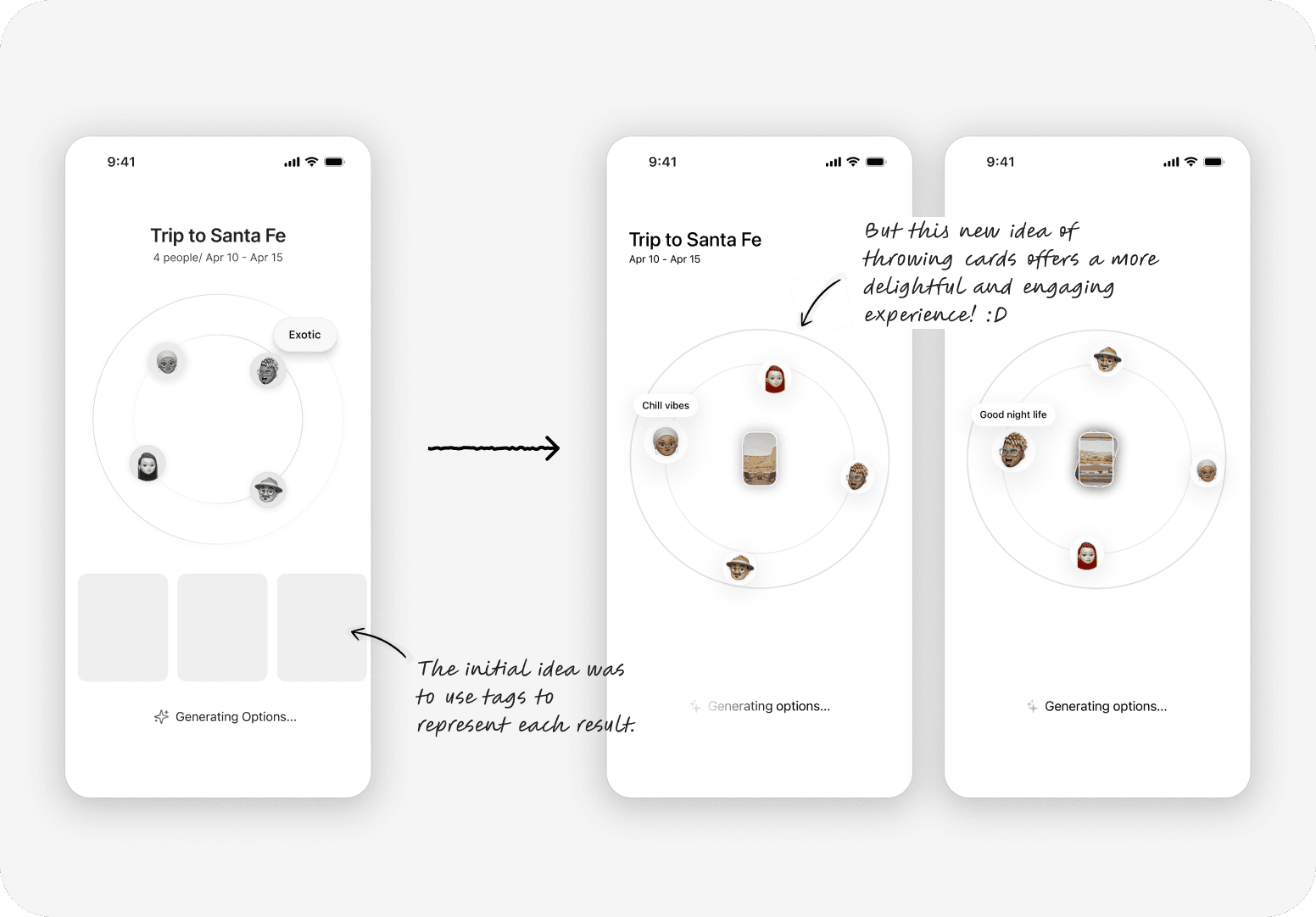
Card- placing UI
1
As each member’s preference is highlighted, the results are displayed in a card deck format. This turns the stress of group decision-making into a moment of fun, like card games!
Detail 3
Novel interactions for profile editing
Engaging bubble interactions
1
Setting up different proxies for each trip can feel tedious. With simple touch-based weight adjustments and bubble-like physical traits, users can seamlessly engage with the bubble ecosystem.
05/ Takeaways
Want to dive deeper?
Explore more of my projects below.
Galaxy S23 Mobile Web UX
0-1 product design for product launch
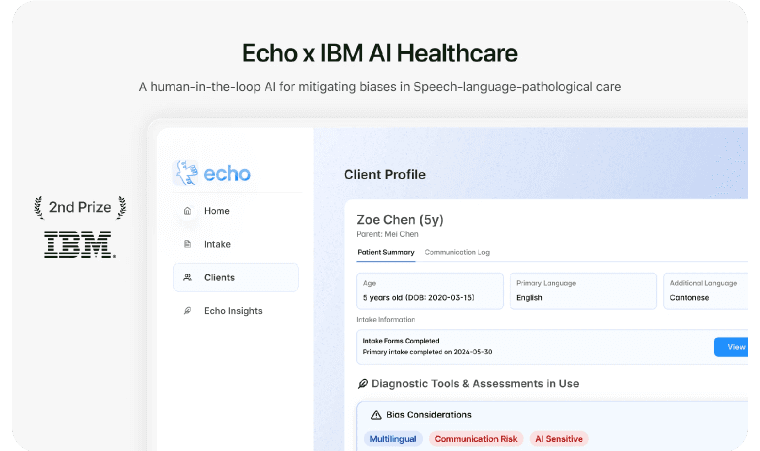
Echo X IBM 2nd Prize
Won B2B AI Global service design competition